
BP Estudio · free
Three libraries. All in your hands.
Your e-Sword, MySword and theWord modules, together in BP Estudio. Read, compare, go deeper and teach from a single app.
Import your e-Sword, MySword and theWord modules.
Your library
You're not starting from scratch.
Import the resources you've already gathered and keep the originals untouched. And from day one, BP Estudio comes with Biblioteca Pastoral modules so you can start studying.
Compatibility depends on each file's format and protection. Encrypted modules from other programs may not be supported.
Walkthrough · studying a word
From the text you read to the Greek beneath it.
Tap a word in John 1. First the dictionaries appear, then the lexicons and, finally, a deep study of the word and the verse. With “Add to slides” you can send it to your presentation, further down.
Preparing John 1:1–10…
Study desk
Set up your desk. Everything follows the same verse.
Each tab is a study with its own panes. Change the verse and the Bible, interlinear, commentary and lexicon move together.
Preparing John 1:1–10…
Presentation desk
What you study, you can also teach.
Build the flow of your message from passages, words, interlinears and references, and project it on a second screen while keeping your notes in view.
Preparing John 1:1–10…
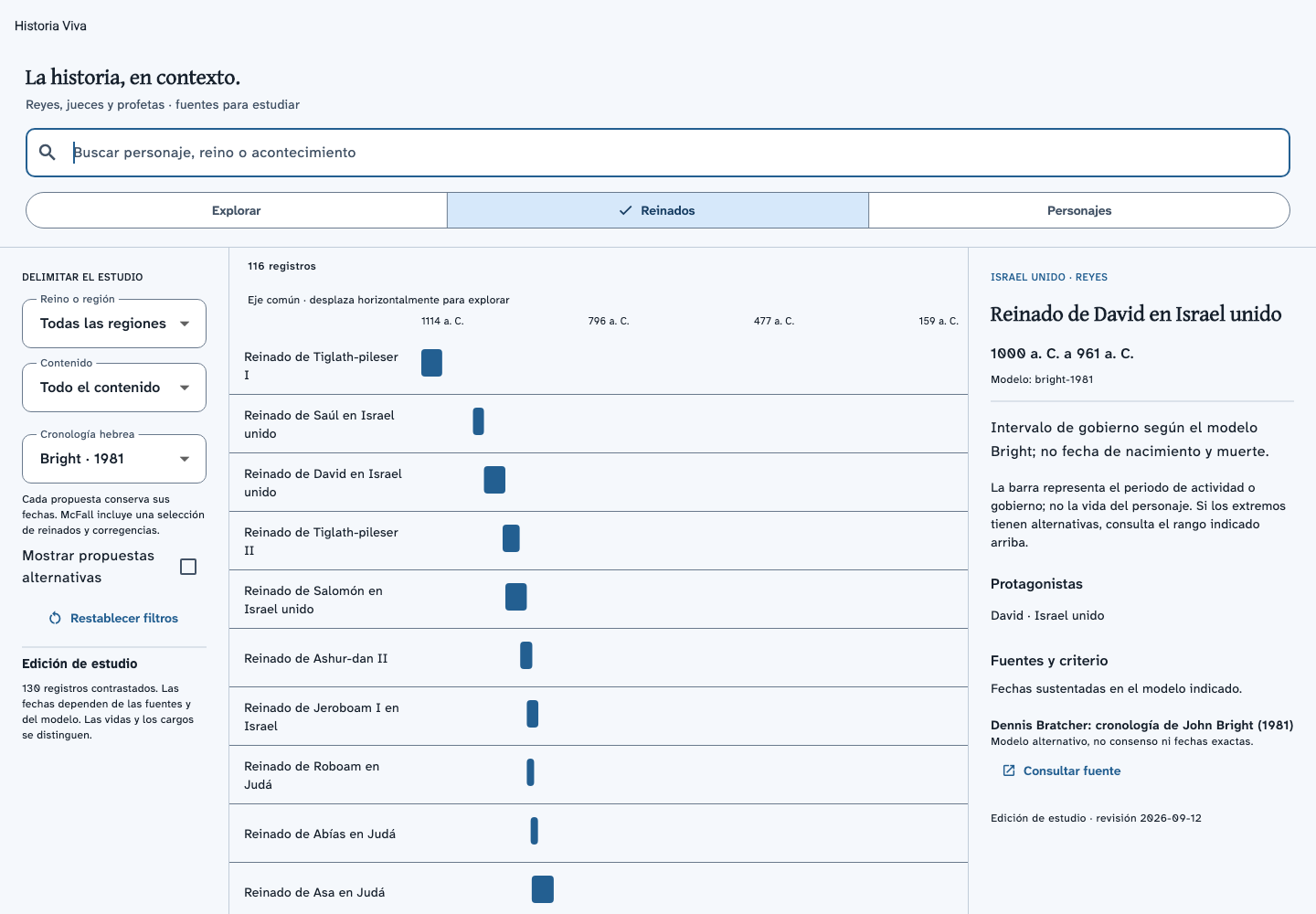
Living history
History is part of the passage, too.
Explore reigns, people and events on a timeline, and compare the chronologies proposed by different scholars.
And there's more
Everything that supports your study.
Audio Bibles
Listen to the passage while you read or while you're on the go.
Reading progress
Keep track of your reading in each version of the Bible.
Notes and notebook
Keep what you discover right next to the verse that inspired it.
Search
Search your Bibles and resources without leaving the passage.
Keyboard shortcuts
On a computer, move between chapters, tabs and panes without leaving the keyboard.
Offline
Your library lives on your device. You only need internet to add modules.
Multiple languages
The app in Spanish and English, with more languages through community packs.
My interlinears
Build and save your own word-by-word interlinears.
Frequently asked questions
Before you download
Is BP Estudio free?
Yes, and ad-free.
Do I need an account?
Not to read and study in the app. You use an account to download the app from this site and to link your offerings.
Does it work without internet?
Yes. Your library lives on your device; you only need a connection to add modules or update the catalog.
Where do I get modules?
Import your own from e-Sword, MySword and theWord, or add them to your library inside the app from their providers. Each provider is responsible for the rights to what it distributes; BP Estudio is a compatible reader.
Are my files changed when I import them?
No. BP Estudio works with its own copy, and your original files stay untouched.
Do encrypted modules work?
Encrypted modules from other programs and some special containers may not be supported.
Free · no ads
Your library. Your pace. Your study.
Download the app and bring your modules. If BP Estudio serves you well, help us bring it to more people.